Data Exports (CSV)
One-click CSV export from any list page. Respects active filters and streams large datasets without timeouts. No IT ticket required.
- Export in one click, no IT ticket
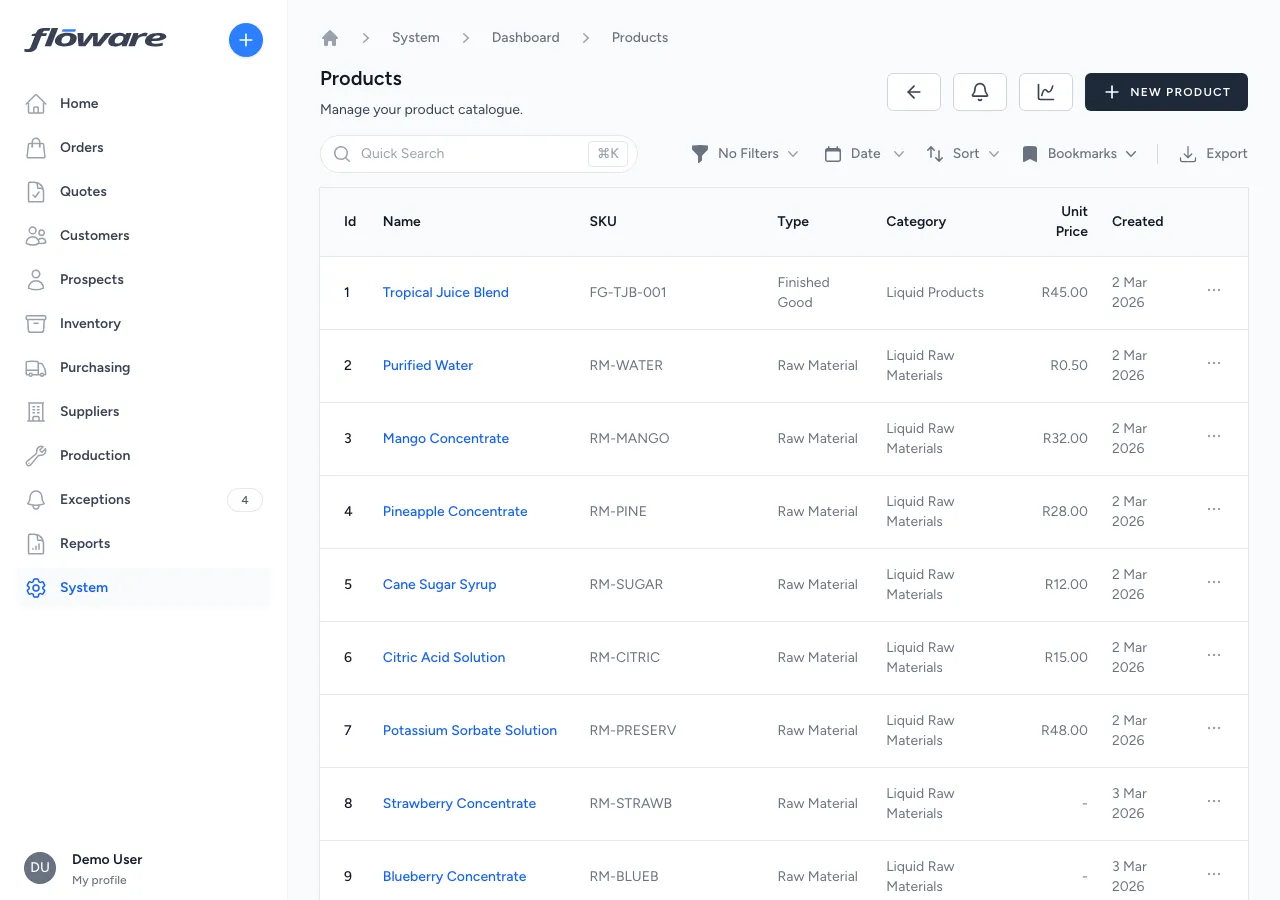
Click Export on any list and a CSV downloads instantly: products, orders, stock, movements, customers. No queries, no waiting.
- Exports respect your filters
Search, filter, or date-range the list first, then export. You get exactly the slice you're looking at, not a raw dump of everything.
- Large exports don't time out
Files stream in chunks, so even thousands of records download smoothly without memory issues or browser timeouts.
- Every core list is exportable
Products, customers, orders, quotes, POs, inventory levels, movements, users, BOMs, production orders: 13+ export types cover the data your team actually needs.
What it does
Exports data from any list page as a CSV file: one click to download a spreadsheet of your products, customers, orders, stock levels, or movements. Exports respect any filters, search terms, or date ranges you've applied, so you get exactly the data you're looking at, not a raw dump of everything. Files stream directly to your browser, so even large datasets download without delays.
What it replaces
Replaces screenshotting tables, copy-pasting data into Excel, or asking IT to run a database query. Without built-in exports, getting data out of the system for reporting, analysis, or sharing with external parties is a manual, error-prone process.
Who it's for
Every business that needs to get data out of the system: for management reporting, sharing with accountants, feeding into external tools, or just doing ad-hoc analysis in Excel. Particularly useful for finance teams reconciling orders, operations managers reviewing stock movements, and anyone who needs to share a filtered view of data with someone who doesn't have system access.
What problems it solves
- Getting data out of the system requires IT help. Click the Export button on any list page and a CSV downloads instantly. No database queries, no IT tickets, no waiting.
- Exports include data you don't need. Exports respect your current filters: search for a customer, filter by status or date range, then export. You get exactly the data you're looking at, not everything in the database.
- Large exports are slow or time out. Files are streamed in chunks, so even thousands of records download smoothly without memory issues or timeouts.
- Key data types can't be exported. CSV export is available across the system: products, customers, prospects, sales orders, quotes, purchase orders, inventory levels, stock movements, users, sales summaries, bills of materials, and production orders.