Product Management
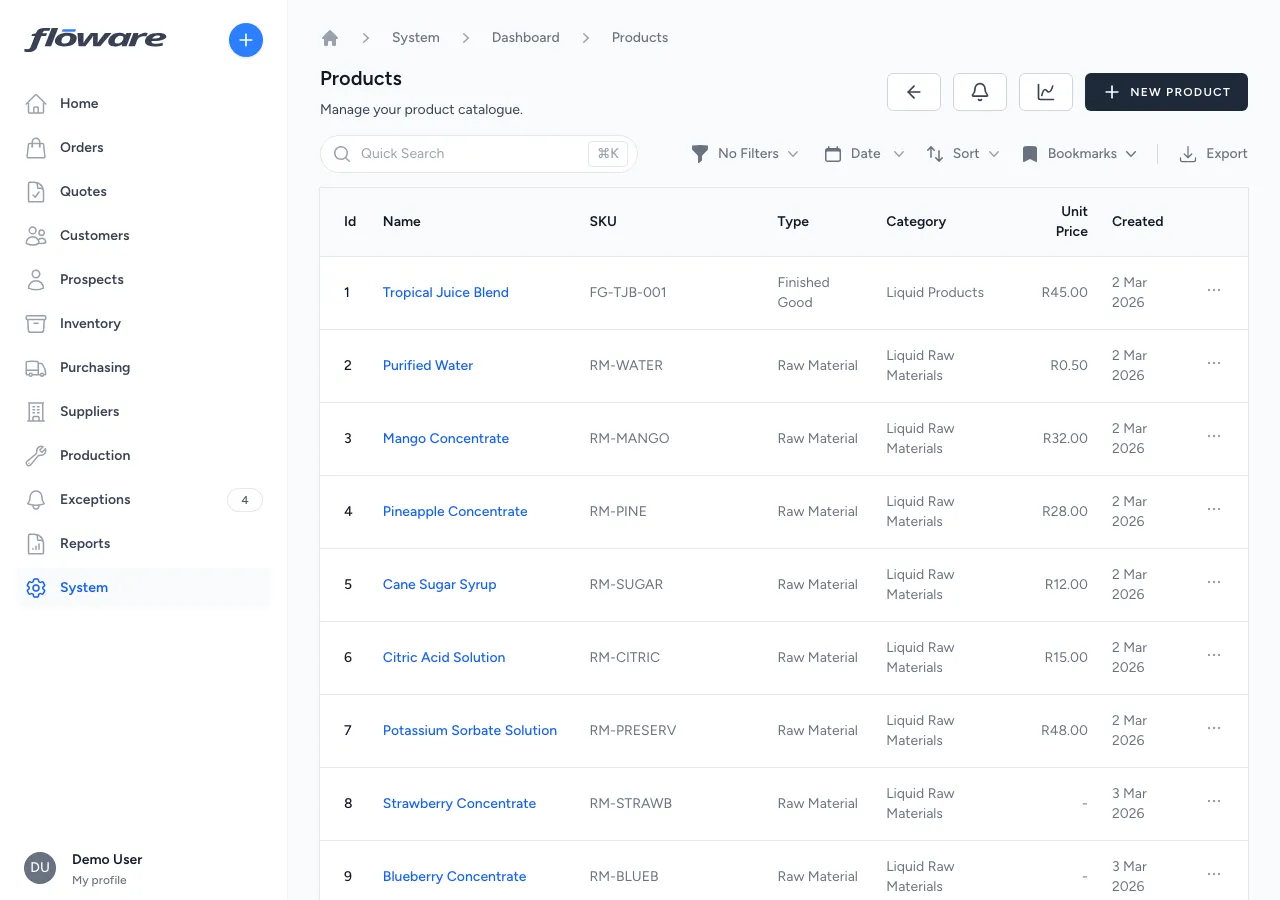
The central product catalogue (every item you buy, sell, or manufacture) with type-driven behaviour, categories, variants, UOMs, and per-warehouse stock.
- Every product in one catalogue
Name, SKU, description, pricing, category, type, images, attachments. One place, accessible to everyone who needs it.
- Type drives behaviour
Finished Good, Raw Material, or Service. The product type controls whether it's sellable, purchasable, and stocked. Misuse is impossible.
- Find any product fast
Search by name or SKU, filter by category/type/status, and bookmark views you use often. Finding a product is never more than a keystroke away.
- Stock visible per warehouse
Each product's Inventory tab shows on-hand, allocated, and available per warehouse, so you know exactly where stock is and how much is committed.
What it does
Manages the product catalogue: every item your business buys, sells, or manufactures. Each product has a name, SKU, description, unit price, category, and type (Finished Good, Raw Material, or Service). The product type drives how the item behaves across the system: finished goods appear on sales orders and track stock, raw materials appear on purchase orders and BOMs, and services can be sold or purchased without inventory tracking. Products are organised into categories and support variants, images, attachments, units of measure, and per-warehouse stock tracking.
What it replaces
Replaces managing the product list in a spreadsheet or in the head of the person who's been with the company the longest. Without a centralised catalogue, product information is scattered, inconsistent, and impossible to keep in sync with pricing, stock levels, and orders.
Who it's for
Every business using the system. Products are the foundation that everything else builds on. Distributors with large catalogues, manufacturers tracking raw materials and finished goods, and wholesalers managing pricing across hundreds of SKUs all depend on a well-organised product catalogue.
What problems it solves
- Product information is scattered across spreadsheets and systems. Every product lives in one place with its name, SKU, description, pricing, category, type, images, and documents, accessible to everyone who needs it.
- Different product types need different behaviour. Finished Goods are sellable and tracked in inventory. Raw Materials are purchasable and tracked in inventory. Services are sellable or purchasable but don't track stock. The product type ensures each item behaves correctly across orders, purchasing, and inventory. No manual configuration needed.
- Hard to find products in a large catalogue. The product list supports search by name or SKU, filtering by category, type, and active status, plus sorting and bookmarked views for quick access to frequently used product sets.
- No visibility into stock levels from the product page. The Inventory tab on each product shows stock levels per warehouse (on-hand, allocated, and available quantities) so you can see exactly where stock is and how much is committed.
- Products are hard to organise and group. Categories provide a hierarchy for organising products (e.g. Liquid Products, Raw Materials, Barcode Scanners) with sort ordering and product counts.
- Low-stock alerts fire per batch and drown the signal. Low stock is judged per stocking position (a product in a warehouse) with its batches summed, so a product sitting on ten small batches that add up to plenty doesn't raise ten false alarms. The low-stock and out-of-stock lists show one row per position rather than one per batch.