Watchlists
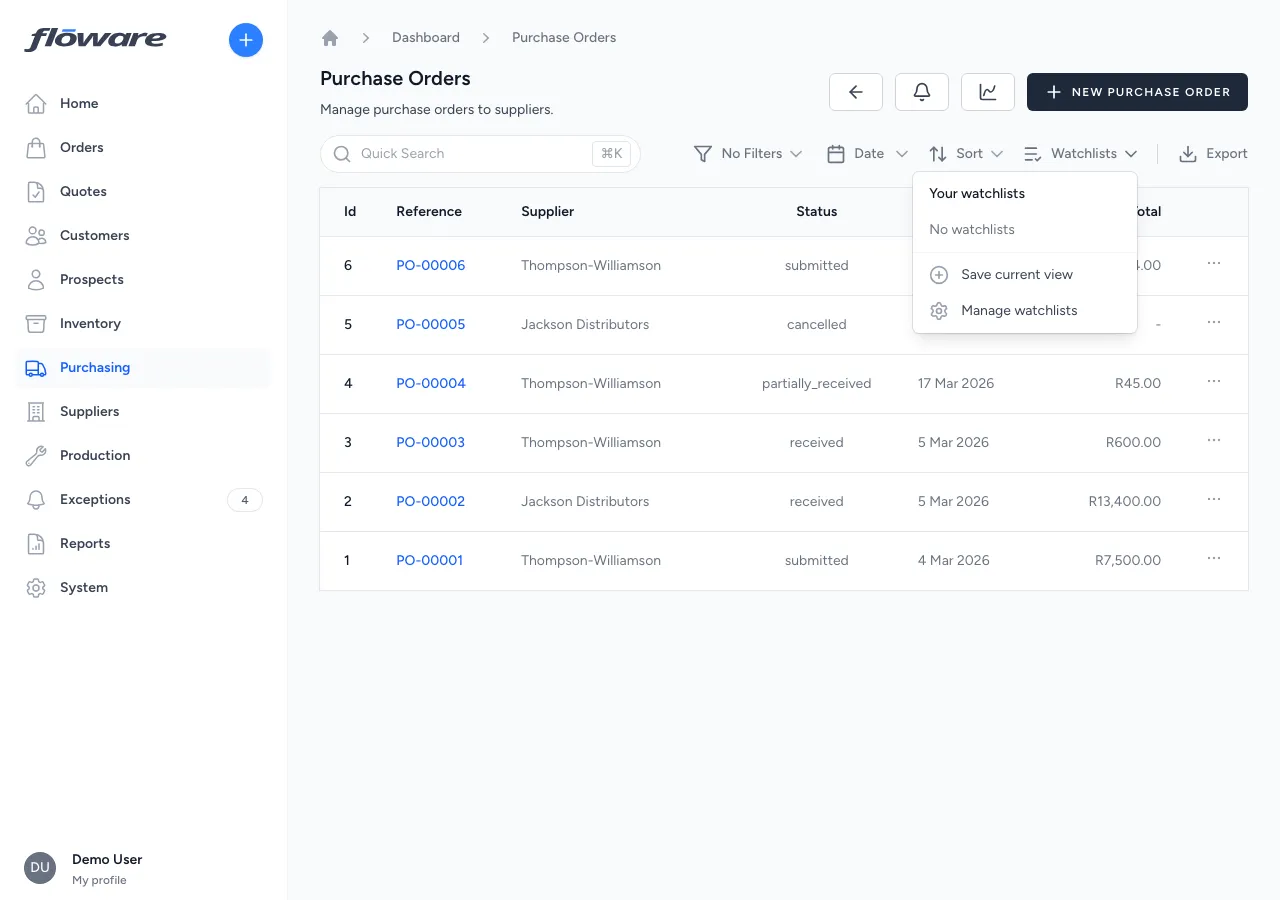
Save any filtered view as a named watchlist (personal or shared with the team) with relative date ranges that stay fresh and sidebar access from anywhere in the app.
- Save a filtered view, return in one click
Filters, search, sort, and relative date range. Save any combination as a named watchlist and jump straight to it the next morning.
- Share views with the team
Mark a watchlist 'Shared with team' and everyone with view access to that resource sees it. 'Overdue POs' can be the whole buying team's starting point.
- Relative dates stay fresh
'Last 30 days' means the current window, not a snapshot from when it was saved. Your view keeps itself current.
- Sidebar access grouped by resource
A Watchlists section in the sidebar groups saved views by resource type (Orders, POs, Customers). Jump to any of them from anywhere in the app.
What it does
Saves a filtered view of any list page as a named watchlist, so users can return to frequently used views with one click. A buyer can save "Overdue POs" once and land straight on that view every morning. A sales manager can save "My team's expiring quotes." Watchlists can be personal (private to the user) or shared with the team, and they appear in the sidebar grouped by resource type for quick access from anywhere.
What it replaces
Replaces manually re-applying the same set of filters, dates, and sort order every time a user checks on their work. Without watchlists, someone chasing overdue orders has to rebuild that filter view from scratch every session, or keep a stack of browser bookmarks that break when the URL format changes.
Who it's for
Every user who returns to the same slice of data repeatedly. Buyers tracking overdue POs, stock managers watching low-inventory alerts, AR clerks chasing unpaid invoices, sales managers reviewing their team's pipeline, and warehouse supervisors monitoring outstanding fulfillments. Particularly valuable in businesses with high transaction volumes where each team member has a specific focus and needs to get to their view instantly.
What problems it solves
- Re-applying the same filters every day wastes time. Save any combination of filters, search, sort, and relative date range as a named watchlist. Click it from the dropdown or the sidebar to recall the view instantly. No re-configuring.
- Useful filter views can't be shared with the team. Users with permission to manage a resource can mark a watchlist as "Shared with team": everyone with view access to that resource will see it in their dropdown and sidebar. "Overdue POs" can be set up once and visible to the whole purchasing team.
- Bookmarked URLs break when dates change. Watchlists store relative date ranges (today, this week, last 30 days, last N days) instead of absolute dates, so the view always reflects the current window, not the snapshot from when it was saved.
- No quick way to jump between different saved views. The sidebar has a Watchlists section that groups saved views by resource type (Purchase Orders, Sales Orders, Customers, etc.) so users can jump directly to any watchlist from anywhere in the app.
- Broken shared watchlists clutter the list. When a shared watchlist points to a resource that's no longer reachable (e.g. a removed filter), it's clearly marked as "Destination no longer available" with a delete-only action, keeping the list clean without hiding issues.